WhatsApp voice messages to text, in Hebrew
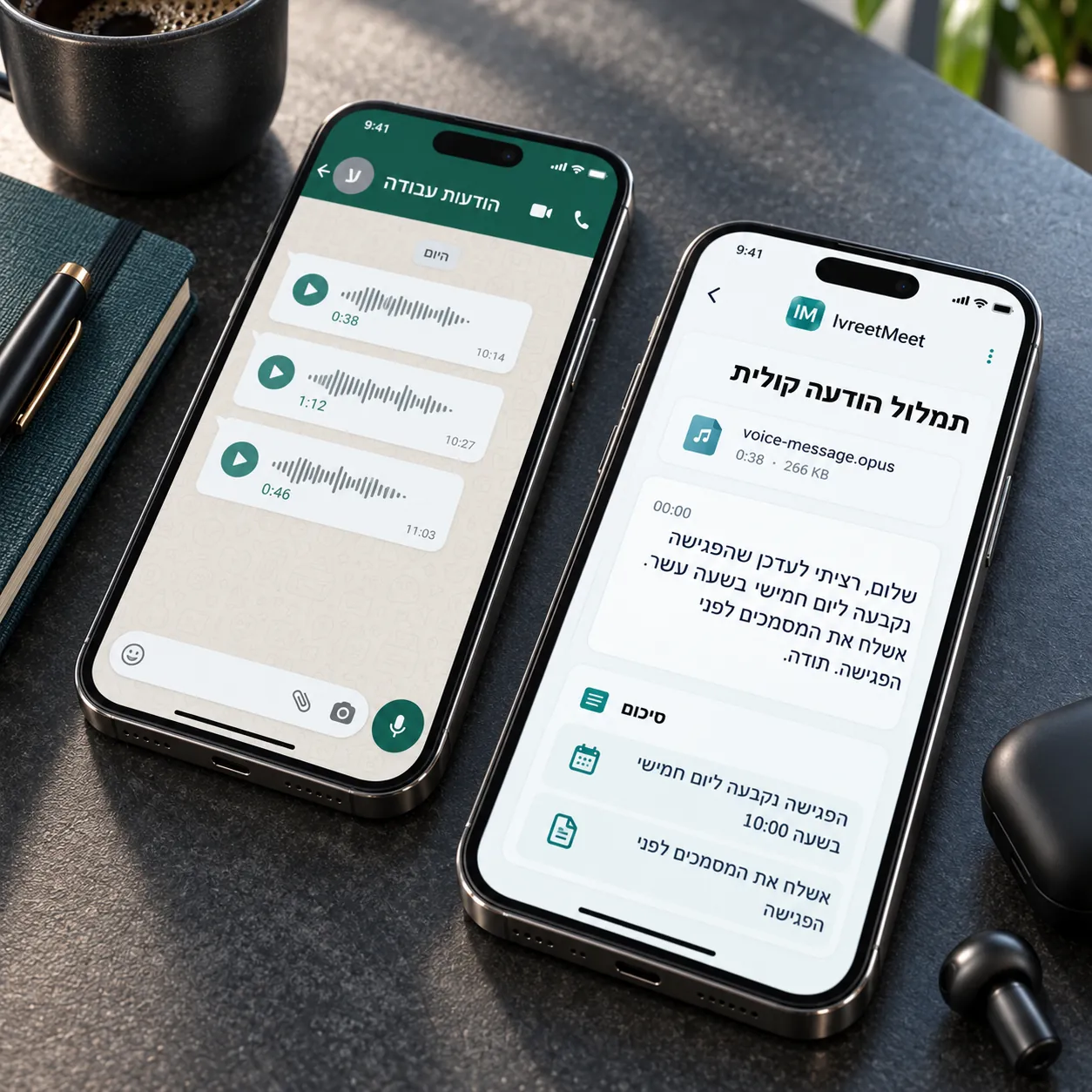
A WhatsApp voice note is an audio file, so it transcribes like any other: export the message, upload it, and read what it says. This is the fastest way to deal with a six-minute voice note in Hebrew when you cannot listen to it — and the free plan's 120 minutes a month cover a lot of voice notes.
Step by step
- 1Export the message. Share or export the voice note from the chat and save the file.
- 2Upload it. Drop the OPUS file in. Several notes from the same conversation can go in one after another.
- 3Read it. The text comes back in Hebrew with timestamps. If two people recorded, they are separated.
- 4Use it. Copy the text, export it, or share it with whoever needs it.
Why voice notes transcribe well
A voice note is usually one person speaking straight into a phone held close to their mouth. That is the best case for any speech model: one voice, one microphone, no room. So the transcript comes back clean and fast.
Hebrew voice notes specifically
Voice notes are the most informal Hebrew there is: half-sentences, slang, English words dropped in, and names. That is exactly the material IvreetMeet's model was trained on.
Frequently asked questions
How do I get the voice note out of WhatsApp?
Open the message, use the share or export action, and save the file to your phone or computer. On a phone the file lands in your downloads or your drive; on WhatsApp Web you can download it directly.
Does the OPUS format work?
Yes. WhatsApp voice notes are OGG/OPUS, which is one of the supported formats. No conversion needed.
Can I transcribe several voice notes at once?
Yes. Each voice note is a file; upload them one after another, and each comes back as its own transcript, with a summary for the long ones.
Is there a limit on length?
Files up to 4 GB, which is far beyond any voice note. Your monthly minutes are the real limit.
Can I try it without an account?
Yes, up to 60 seconds on the home page, with no account.
Try it on your own recording
IvreetMeet transcribes and summarizes Hebrew meetings. The free plan covers 7 meetings and 120 minutes per organization each month.
Start free